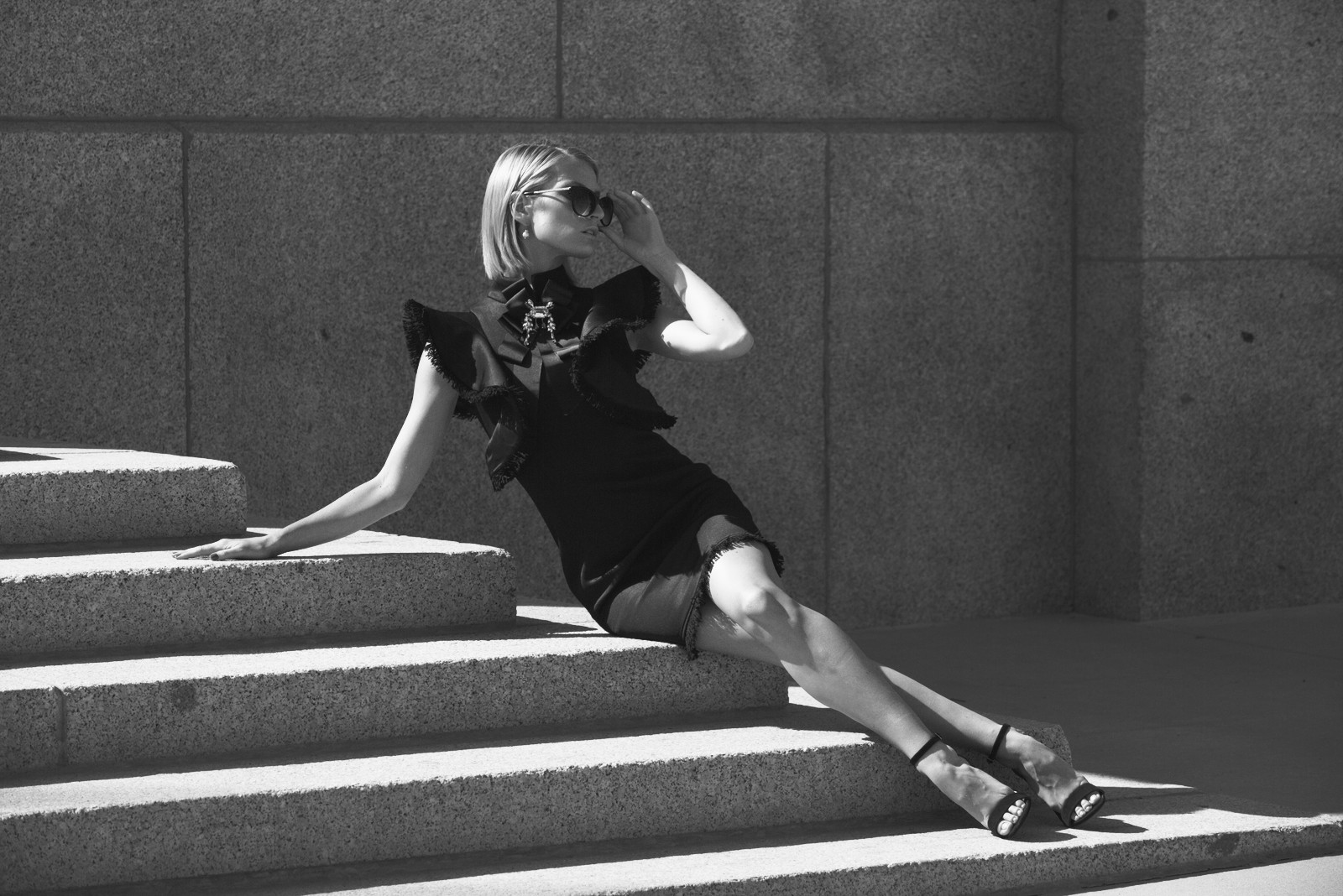
Rollei Ortho 25 — Picture Style for Canon
Black & white emulation — an approximation, not affiliated with the brand
A look inspired by Rollei Ortho 25, adapted as a Picture Style (PF3) with a compatible structure for Canon EOS cameras: it loads as its own style and works in-camera and in Digital Photo Professional. It is not a Rollei product nor is it affiliated with the brand.
The recipe
Six-axis grading (H / S / L)
| Axis | Hue | Sat | Lum |
|---|---|---|---|
| Red | 0 | -100 | 0 |
| Yellow | 0 | -100 | 0 |
| Green | 0 | -100 | 0 |
| Cyan | 0 | -100 | 0 |
| Blue | 0 | -100 | 0 |
| Magenta | 0 | -100 | 0 |
Tone curve (11 points)
0,11 · 24,30 · 48,48 · 72,67 · 96,93 · 128,156 · 159,209 · 191,234 · 215,242 · 239,248 · 255,252
Compatible with Canon EOS cameras with Picture Styles (loaded via EOS Utility, Picture Style Editor or SD card). The file includes the six-axis grading, the tone curve and the basic parameters; the preview on this page was generated with the same color transformation written into the PF3.
About the Rollei Ortho 25 look
Rollei Ortho 25 is an orthochromatic film of extreme sensitivity: ISO 25, the slowest in this catalog and one of the slowest ever sold on a regular basis. Orthochromatic films — the standard of the early twentieth century — do not see red: blues and greens register strongly while reds fade away, and that changes the translation of reality entirely. Using it today is photographing with hundred-year-old eyes and the fineness of a modern material.
The result is a black and white of high contrast and almost nonexistent grain: dense dramatic skies (the red in sky does not register), skin with ruthless texture and brilliant greens in foliage. The low sensitivity demands a tripod or fast lenses, and that slow rhythm — composing without hurry — is part of the result: considered photos, not snapshots.
Its perfect ground is meticulous landscape, stone architecture, texture studies, artistic nude with hard light and any project where grain would get in the way. In portraiture it delivers brutal honesty: every detail counts, so know it before you shoot. It is the emulsion of patience, and it rewards those who respect it.
This Picture Style for Canon reproduces its character with a high-contrast monochrome grade and the spectral response shifted in orthochromatic style: powerful skies, restrained reds. Keep sharpness contained and use low ISO or fast shutter speeds; in good light, the Ortho 25 delivers images of overwhelming cleanliness.
Shoot with a tripod or stable supports and embrace the slowness: every photo deserves twenty seconds of composition. The hard midday light other styles suffer becomes a tool here: drawn shadows and skies with body. In fog, on the other hand, the look fades; save it for clear days. And if you photograph people, warn them: orthochromatic sweetens nothing. Slow photography has rarely looked this sharp.
Frequently asked questions
Is this an official Rollei product?
No. It is an independent emulation created by FilmTone, inspired by the color character of Rollei Ortho 25. It is not affiliated with or endorsed by Rollei; film names are mentioned only to describe the look being emulated.
Which Canon cameras support this Picture Style?
Any Canon EOS with Picture Styles and User Def. slots: DSLRs from the 350D onward, EOS R and M mirrorless bodies, and recent PowerShot models. The PF3 file registers into a free slot and is selected like any factory style.
How do I install it on the camera?
Three routes: with EOS Utility over USB or Wi-Fi (the most universal), opening the PF3 in Picture Style Editor and registering it, or from the SD card on recent models that allow it. We have a step-by-step guide in the guides section of the site.
Does it affect my RAW files?
The style applies to the JPEG, the on-screen preview and the RAW pre-render, but the RAW keeps all the sensor information: you can change or remove the style later in Digital Photo Professional. Shooting RAW+JPEG gives you both the instant look and the untouched digital negative.
Does it cost anything to download?
No. Downloading the PF3 is free and you can customize the name your camera will show (1–24 ASCII characters). The project runs on voluntary Ko-fi donations.