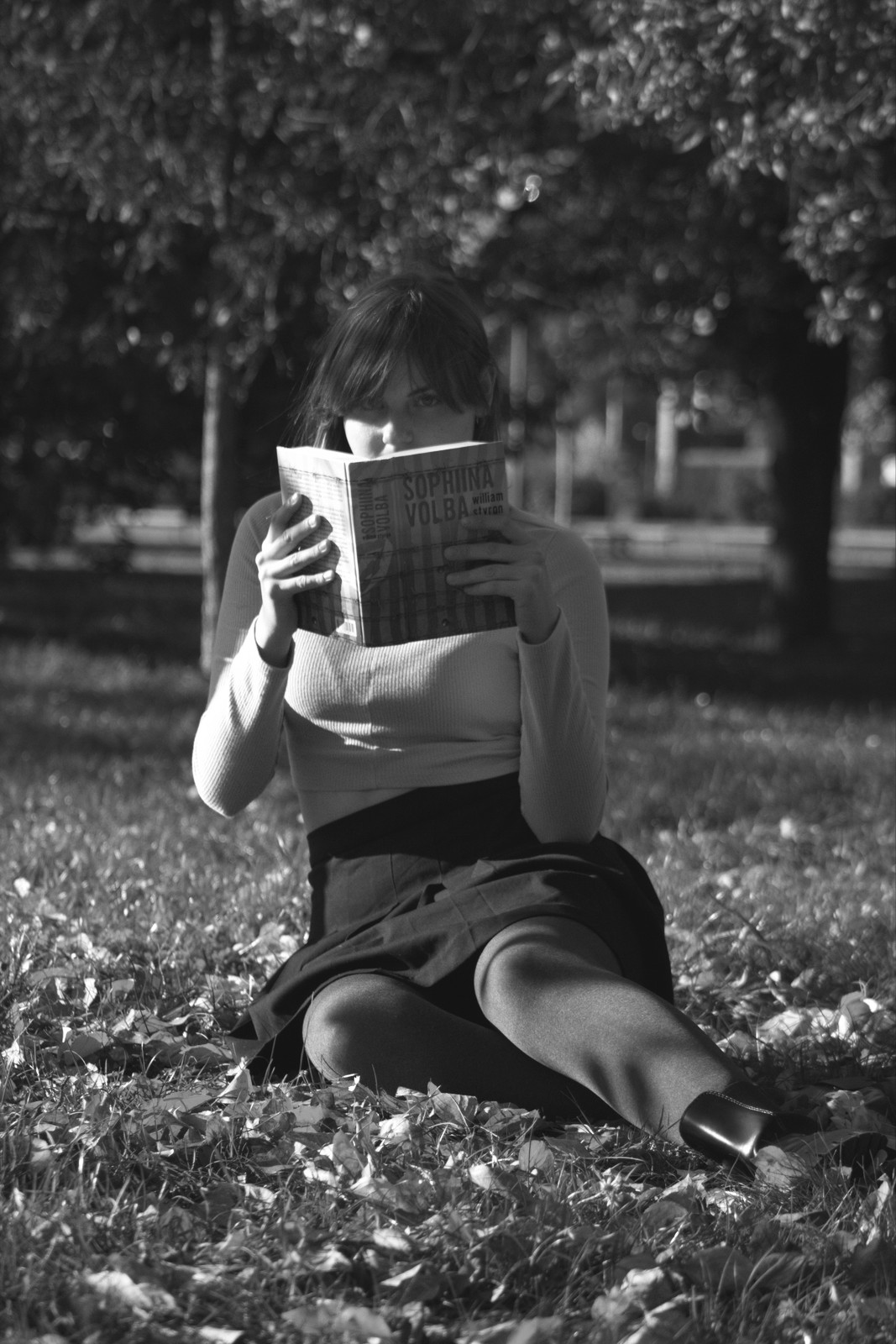
Kodak HIE HS Infra — Picture Style for Canon
Black & white emulation — an approximation, not affiliated with the brand
A look inspired by Kodak HIE HS Infra, adapted as a Picture Style (PF3) with a compatible structure for Canon EOS cameras: it loads as its own style and works in-camera and in Digital Photo Professional. It is not a Kodak product nor is it affiliated with the brand.
The recipe
Six-axis grading (H / S / L)
| Axis | Hue | Sat | Lum |
|---|---|---|---|
| Red | 0 | -100 | 0 |
| Yellow | 0 | -100 | 0 |
| Green | 0 | -100 | 0 |
| Cyan | 0 | -100 | 0 |
| Blue | 0 | -100 | 0 |
| Magenta | 0 | -100 | 0 |
Tone curve (11 points)
0,17 · 24,41 · 48,64 · 72,92 · 96,124 · 128,169 · 159,208 · 191,233 · 215,249 · 239,254 · 255,255
Compatible with Canon EOS cameras with Picture Styles (loaded via EOS Utility, Picture Style Editor or SD card). The file includes the six-axis grading, the tone curve and the basic parameters; the preview on this page was generated with the same color transformation written into the PF3.
About the Kodak HIE HS Infra look
Kodak High Speed Infrared was one of the most singular films ever made: a black and white sensitive to infrared radiation, invisible to the human eye. Kodak discontinued it years ago, and since then its aesthetic — impossible to obtain with conventional chemistry — has been an object of cult. This Picture Style exists so that aesthetic is not lost and can live on your modern camera.
Its trademarks: foliage turning frothy white (the famous Wood effect), skies sinking into dramatic black, soft porcelain skin and a luminous halo around the highlights that gave photos a dreamlike air. Contrast is extreme and grain is notable. No consistent gray here: light behaves by other rules, and that is precisely the point.
The infrared kingdom is vegetated landscape under strong sun: parks, woods, gardens and groves turn into ghostly scenes. Midday-sun portraits take on a oneiric aura and a stormy sky becomes apocalyptic. It is an author's look, for concept series — not for documenting, but for telling something else.
As a Picture Style for Canon, this look emulates the infrared effect in monochrome through grading and curve: bright foliage, dense skies and that ethereal glow on the highlights. It works beautifully with RAW+JPEG and with wide-angle lenses. If you want to surprise with black and white when all B&Ws already look alike, this is the emulsion.
Pick days of intense sun with sidelight or backlight: the infrared radiation reflected by vegetation is what ignites the effect. Reduce in-camera sharpness a couple of steps if your lens renders harshly, and do not fear the highlights: the soft glow is part of the charm. A practical tip: shoot complete series with it, because mixed with other B&Ws it loses its narrative magic. Against plain walls it also produces striking, almost graphic portraits. Infrared rewards patience.
Frequently asked questions
Is this an official Kodak product?
No. It is an independent emulation created by FilmTone, inspired by the color character of Kodak HIE HS Infra. It is not affiliated with or endorsed by Kodak; film names are mentioned only to describe the look being emulated.
Which Canon cameras support this Picture Style?
Any Canon EOS with Picture Styles and User Def. slots: DSLRs from the 350D onward, EOS R and M mirrorless bodies, and recent PowerShot models. The PF3 file registers into a free slot and is selected like any factory style.
How do I install it on the camera?
Three routes: with EOS Utility over USB or Wi-Fi (the most universal), opening the PF3 in Picture Style Editor and registering it, or from the SD card on recent models that allow it. We have a step-by-step guide in the guides section of the site.
Does it affect my RAW files?
The style applies to the JPEG, the on-screen preview and the RAW pre-render, but the RAW keeps all the sensor information: you can change or remove the style later in Digital Photo Professional. Shooting RAW+JPEG gives you both the instant look and the untouched digital negative.
Does it cost anything to download?
No. Downloading the PF3 is free and you can customize the name your camera will show (1–24 ASCII characters). The project runs on voluntary Ko-fi donations.