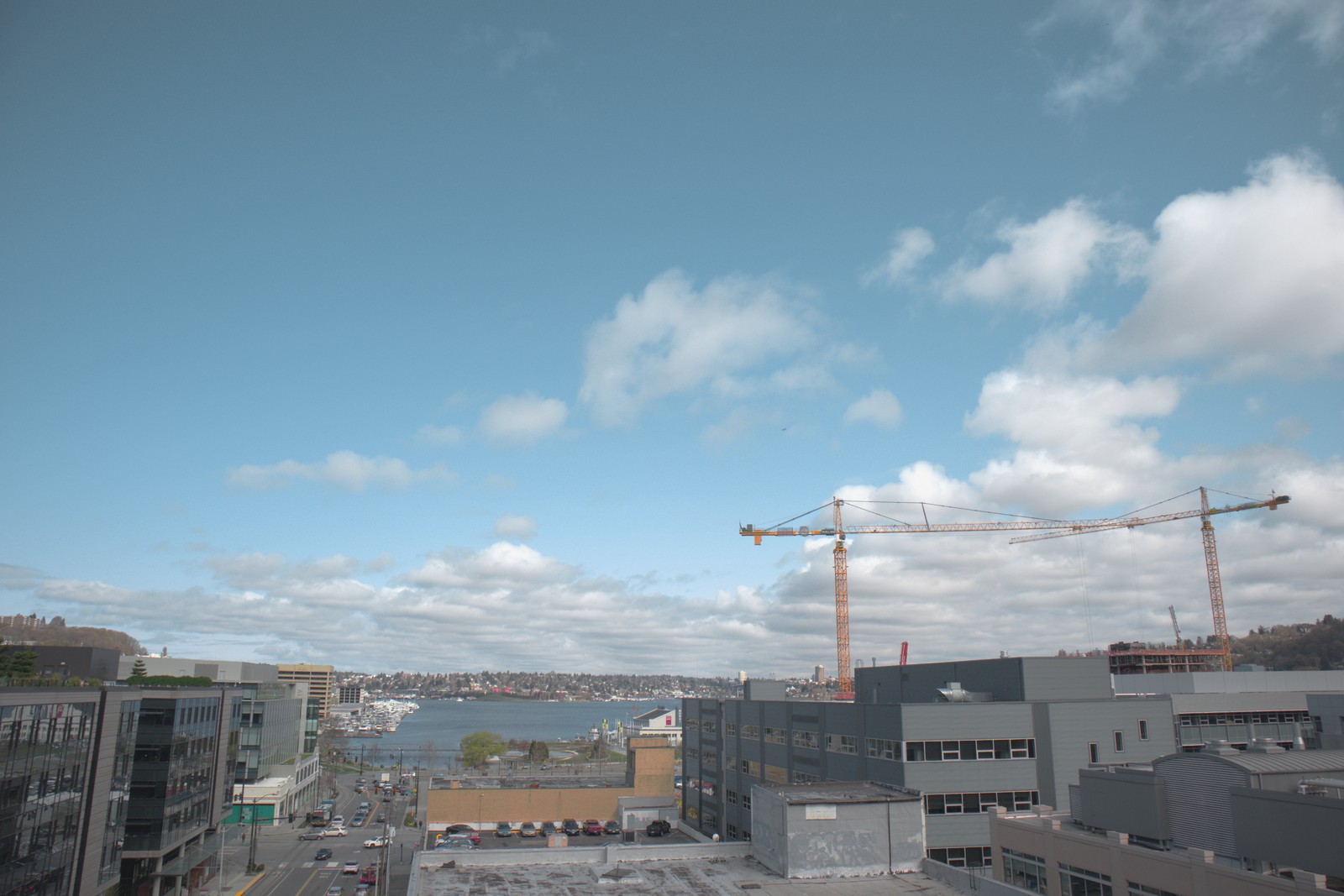
Fujifilm Superia 200 XPro — Picture Style for Canon
Slide film emulation — an approximation, not affiliated with the brand
A look inspired by Fujifilm Superia 200 XPro, adapted as a Picture Style (PF3) with a compatible structure for Canon EOS cameras: it loads as its own style and works in-camera and in Digital Photo Professional. It is not a Fujifilm product nor is it affiliated with the brand.
The recipe
Six-axis grading (H / S / L)
| Axis | Hue | Sat | Lum |
|---|---|---|---|
| Red | -22 | +16 | -12 |
| Yellow | +12 | +28 | +6 |
| Green | +28 | +22 | +6 |
| Cyan | +22 | -18 | +6 |
| Blue | -22 | -18 | -6 |
| Magenta | -28 | -18 | -6 |
Tone curve (11 points)
0,18 · 24,50 · 48,74 · 72,95 · 96,113 · 128,136 · 159,167 · 191,195 · 215,215 · 239,233 · 255,245
Compatible with Canon EOS cameras with Picture Styles (loaded via EOS Utility, Picture Style Editor or SD card). The file includes the six-axis grading, the tone curve and the basic parameters; the preview on this page was generated with the same color transformation written into the PF3.
About the Fujifilm Superia 200 XPro look
Cross-processing — running a slide film through negative chemistry, or the other way around — was one of the favorite games of experimental nineties photography and of the Lomography revival: shifted colors, exaggerated contrast, unpredictable results that turned every roll into a bet. The X-Pro variant of the Superia line drinks straight from that tradition and brings the spirit of the happy accident to color negative.
The look is unmistakable: greens and yellows turning acid, magenta creeping into the highlights, high contrast and an unapologetic saturation that never asks for permission. Skies get tinted, shadows pick up color, and any mundane scene gains a punk, fanzine, concert-night air. Grain shows more than in a classic Superia, and here that is not a flaw — it is part of the style.
This is the look for breaking the line: attitude-filled portraits, urban nights, skaters, neon, parties, alternative fashion and any project where perfection would be boring. It works especially well with hard light and flat colors in the scene (walls, concrete, asphalt), which is where the hue shifts shine. If you want fidelity, this is not your emulsion; if you want personality, welcome.
As a Picture Style for Canon, this look translates the cross-processing color party into a stable, repeatable grade: the green and magenta bands shift with precision and the curve adds the sparkling contrast. It comes out as-is in JPEG, and with RAW+JPEG you keep the negative in case you ever want a tamer version of the same photo.
Dare to shoot tilted frames, flash in daylight and aggressive close-ups: the look withstands jolts and turns them into style. It works especially well on photos of people with character, graffiti, fairs and any environment saturated with stimuli. On minimalist scenes it surprises too: a plain wall and a subject are enough for a graphic image with plenty of personality.
Frequently asked questions
Is this an official Fujifilm product?
No. It is an independent emulation created by FilmTone, inspired by the color character of Fujifilm Superia 200 XPro. It is not affiliated with or endorsed by Fujifilm; film names are mentioned only to describe the look being emulated.
Which Canon cameras support this Picture Style?
Any Canon EOS with Picture Styles and User Def. slots: DSLRs from the 350D onward, EOS R and M mirrorless bodies, and recent PowerShot models. The PF3 file registers into a free slot and is selected like any factory style.
How do I install it on the camera?
Three routes: with EOS Utility over USB or Wi-Fi (the most universal), opening the PF3 in Picture Style Editor and registering it, or from the SD card on recent models that allow it. We have a step-by-step guide in the guides section of the site.
Does it affect my RAW files?
The style applies to the JPEG, the on-screen preview and the RAW pre-render, but the RAW keeps all the sensor information: you can change or remove the style later in Digital Photo Professional. Shooting RAW+JPEG gives you both the instant look and the untouched digital negative.
Does it cost anything to download?
No. Downloading the PF3 is free and you can customize the name your camera will show (1–24 ASCII characters). The project runs on voluntary Ko-fi donations.