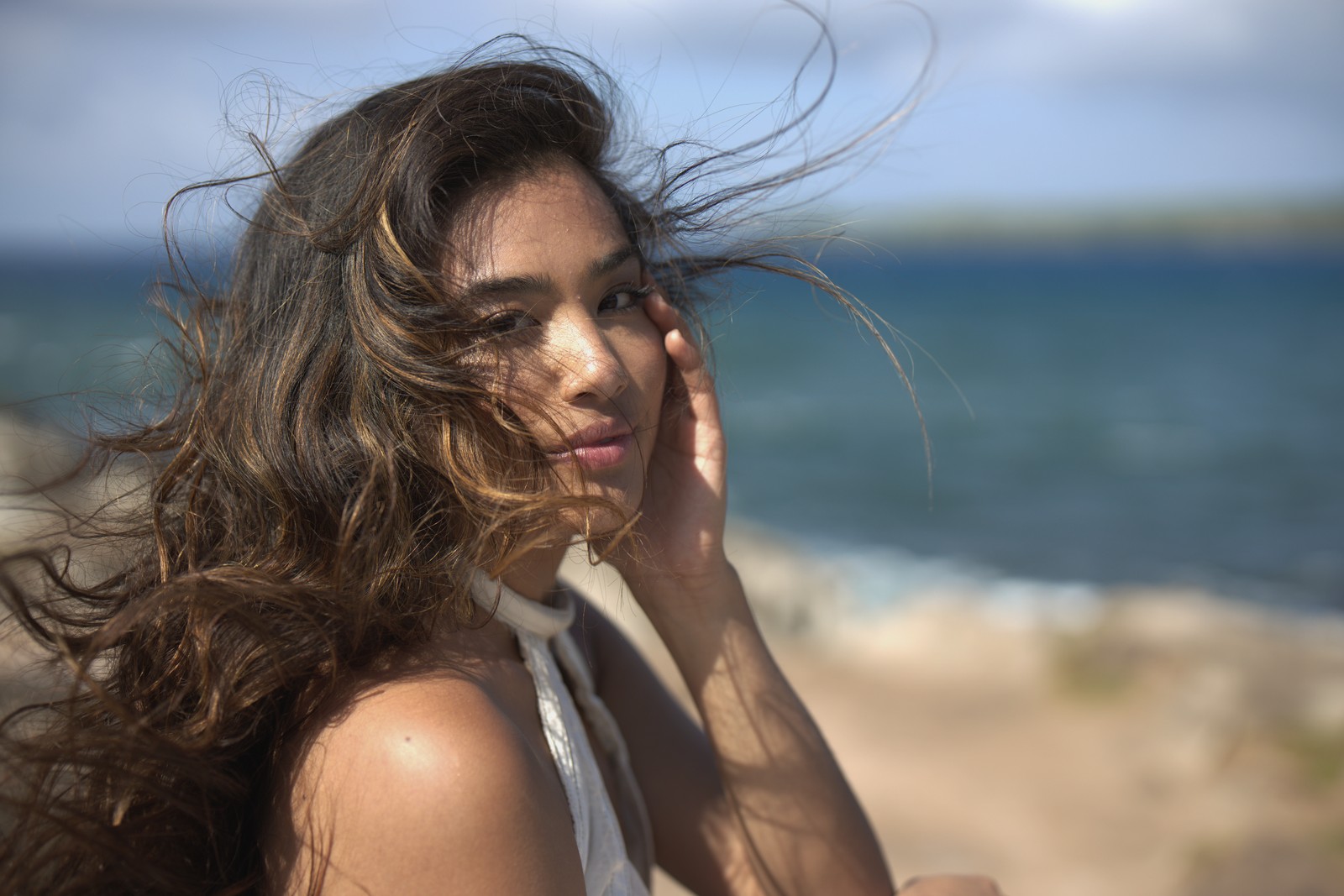
Fujifilm Astia 100F — Picture Style for Canon
Slide film emulation — an approximation, not affiliated with the brand
A look inspired by Fujifilm Astia 100F, adapted as a Picture Style (PF3) with a compatible structure for Canon EOS cameras: it loads as its own style and works in-camera and in Digital Photo Professional. It is not a Fujifilm product nor is it affiliated with the brand.
The recipe
Six-axis grading (H / S / L)
| Axis | Hue | Sat | Lum |
|---|---|---|---|
| Red | -2 | -18 | -12 |
| Yellow | -3 | -3 | +6 |
| Green | -22 | -16 | +6 |
| Cyan | -2 | +10 | +6 |
| Blue | 0 | +6 | -6 |
| Magenta | +16 | -4 | -6 |
Tone curve (11 points)
0,9 · 24,29 · 48,51 · 72,72 · 96,94 · 128,125 · 159,156 · 191,184 · 215,204 · 239,224 · 255,239
Compatible with Canon EOS cameras with Picture Styles (loaded via EOS Utility, Picture Style Editor or SD card). The file includes the six-axis grading, the tone curve and the basic parameters; the preview on this page was generated with the same color transformation written into the PF3.
About the Fujifilm Astia 100F look
Astia 100F was Fujifilm's professional slide film for fashion and portrait work: the discreet sibling of exuberant Velvia. Where other slide films shouted color, Astia whispered. Its mission was to render people and products faithfully, keeping skin tones untouched while holding everything else in check. Fujifilm discontinued it, but its way of understanding professional color still has a devoted following.
The result is a slide film with restrained contrast and measured saturation: colors exist but never invade, highlights are retained with elegance and skin is the measure of all things. Against a landscape slide, Astia wins on naturalness; against a consumer negative, it offers the cleanliness and fineness of professional material. The whole thing communicates calm, precision and good taste.
Its natural ground is portraiture: studio, soft fashion, natural-light weddings, beauty. It also charms in bright interiors, architecture with neutral palettes and any project where color should serve the scene rather than rule it. If your previous photos came out oversaturated or with odd skin, this is the correcting style: it gives you the slide-film step without its excesses.
In this Picture Style for Canon, the grading works with a very soft hand: hue and saturation are tuned band by band to protect skin tones, and the curve keeps highlights open. It is one of the looks that coexists best with any Canon lens, including neutrally rendered ones, and a perfect gateway into the world of professional emulsions.
With studio lighting or window light, this look almost manages itself: it just delivers. Outdoors, it prefers tidy backgrounds without loud colors competing with the skin. If you work with flash, add a touch of warmth to the scene (a soft CTO gel) to offset the natural coolness of slide film and skin will come out perfect. When in doubt, give it a scene you love — it will treat it kindly.
Frequently asked questions
Is this an official Fujifilm product?
No. It is an independent emulation created by FilmTone, inspired by the color character of Fujifilm Astia 100F. It is not affiliated with or endorsed by Fujifilm; film names are mentioned only to describe the look being emulated.
Which Canon cameras support this Picture Style?
Any Canon EOS with Picture Styles and User Def. slots: DSLRs from the 350D onward, EOS R and M mirrorless bodies, and recent PowerShot models. The PF3 file registers into a free slot and is selected like any factory style.
How do I install it on the camera?
Three routes: with EOS Utility over USB or Wi-Fi (the most universal), opening the PF3 in Picture Style Editor and registering it, or from the SD card on recent models that allow it. We have a step-by-step guide in the guides section of the site.
Does it affect my RAW files?
The style applies to the JPEG, the on-screen preview and the RAW pre-render, but the RAW keeps all the sensor information: you can change or remove the style later in Digital Photo Professional. Shooting RAW+JPEG gives you both the instant look and the untouched digital negative.
Does it cost anything to download?
No. Downloading the PF3 is free and you can customize the name your camera will show (1–24 ASCII characters). The project runs on voluntary Ko-fi donations.