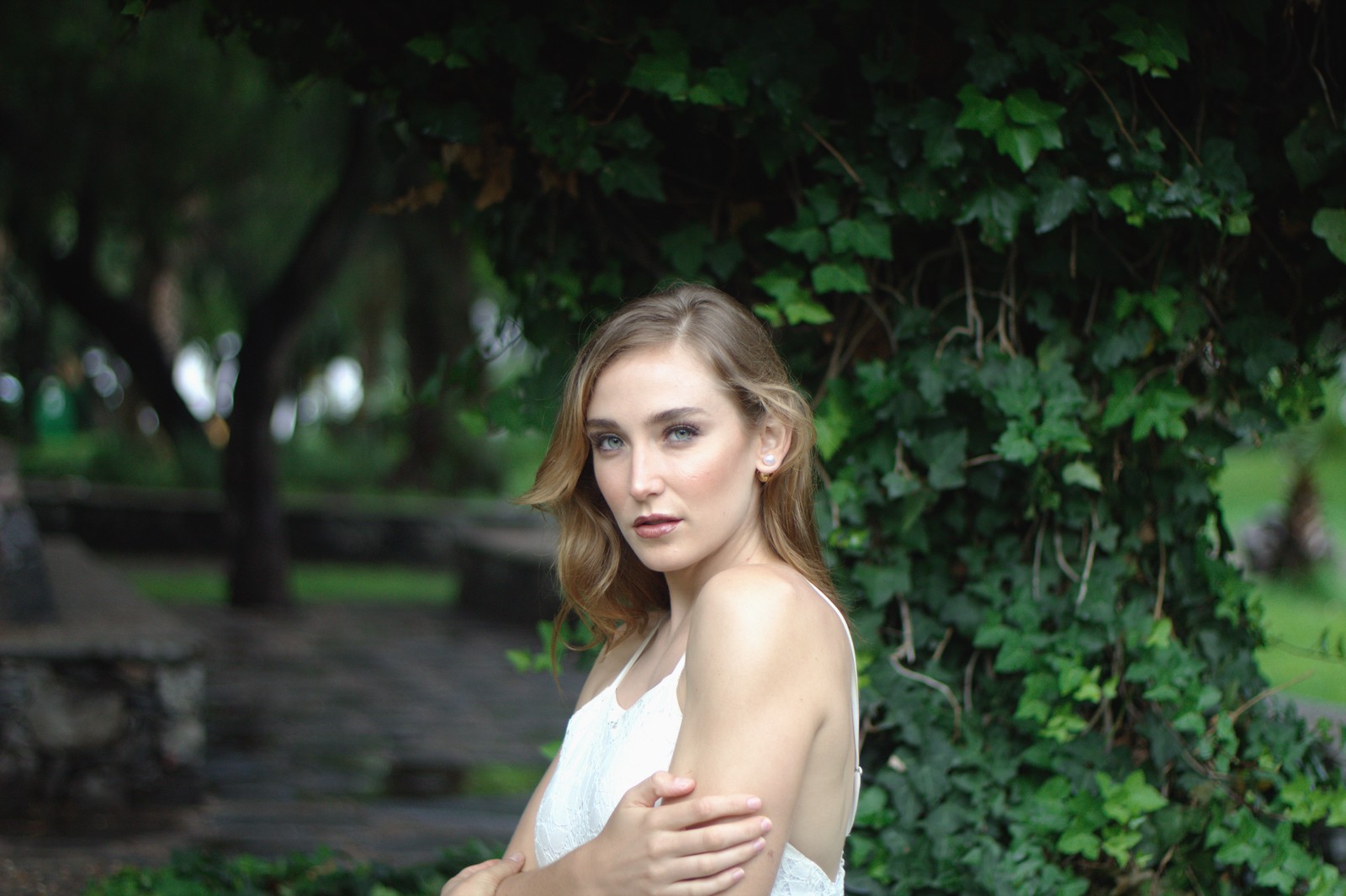
Fujifilm Superia 100 — Picture Style for Canon
Vintage negative emulation — an approximation, not affiliated with the brand
A look inspired by Fujifilm Superia 100, adapted as a Picture Style (PF3) with a compatible structure for Canon EOS cameras: it loads as its own style and works in-camera and in Digital Photo Professional. It is not a Fujifilm product nor is it affiliated with the brand.
The recipe
Six-axis grading (H / S / L)
| Axis | Hue | Sat | Lum |
|---|---|---|---|
| Red | +2 | +1 | 0 |
| Yellow | 0 | -8 | +6 |
| Green | +16 | -8 | +6 |
| Cyan | -3 | -4 | 0 |
| Blue | +6 | +3 | 0 |
| Magenta | -3 | -3 | 0 |
Tone curve (11 points)
0,9 · 24,22 · 48,51 · 72,85 · 96,117 · 128,150 · 159,179 · 191,207 · 215,227 · 239,242 · 255,250
Compatible with Canon EOS cameras with Picture Styles (loaded via EOS Utility, Picture Style Editor or SD card). The file includes the six-axis grading, the tone curve and the basic parameters; the preview on this page was generated with the same color transformation written into the PF3.
About the Fujifilm Superia 100 look
Superia was for years Fujifilm's gateway into film photography: a consumer color negative, inexpensive, present in practically every pharmacy and supermarket on the planet. The 100 ISO variant was the family's daylight option, the one that went out on sunny afternoons. Millions of family albums from the nineties and two-thousands were developed on it, and that neighborhood-lab smell is part of its charm.
Its palette is the Japanese negative one: greens with a cool touch, clean blues, slightly rosy skin and moderate contrast that forgives exposure mistakes. It does not chase the impact of an Ultra Color or the fidelity of a professional stock; its virtue is everyday naturalness. Grain is fine for its class and the whole thing produces honest photos — the kind that need no filter because they already carry one.
Ideal for everyday photography: walks, long lunches, kids and pets, unposed travel, drama-free landscape. It is also an excellent first emulation if you are coming from your Canon's standard look: the change is noticeable but never unsettling. For portraits it works well outdoors; indoors it wants window light or a fast lens.
This Picture Style brings that naturalness into the digital era: the grading gently shifts greens and skin toward the characteristic Fuji negative, and the curve keeps contrast friendly with accessible shadows. A perfect look to keep parked in a User Def. slot and shoot your daily life with a different air.
It is the ideal look for the everyday camera: it demands no specific scenes or perfect conditions, and in mid-morning and afternoon sun it delivers that unmistakable Nordic color. Pair it with standard lenses (the 50 mm equivalent works wonderfully) and do not obsess over exposure: its margin is wide, as befits a well-born consumer negative. Few looks age as gracefully in a photo library as this one does.
Frequently asked questions
Is this an official Fujifilm product?
No. It is an independent emulation created by FilmTone, inspired by the color character of Fujifilm Superia 100. It is not affiliated with or endorsed by Fujifilm; film names are mentioned only to describe the look being emulated.
Which Canon cameras support this Picture Style?
Any Canon EOS with Picture Styles and User Def. slots: DSLRs from the 350D onward, EOS R and M mirrorless bodies, and recent PowerShot models. The PF3 file registers into a free slot and is selected like any factory style.
How do I install it on the camera?
Three routes: with EOS Utility over USB or Wi-Fi (the most universal), opening the PF3 in Picture Style Editor and registering it, or from the SD card on recent models that allow it. We have a step-by-step guide in the guides section of the site.
Does it affect my RAW files?
The style applies to the JPEG, the on-screen preview and the RAW pre-render, but the RAW keeps all the sensor information: you can change or remove the style later in Digital Photo Professional. Shooting RAW+JPEG gives you both the instant look and the untouched digital negative.
Does it cost anything to download?
No. Downloading the PF3 is free and you can customize the name your camera will show (1–24 ASCII characters). The project runs on voluntary Ko-fi donations.