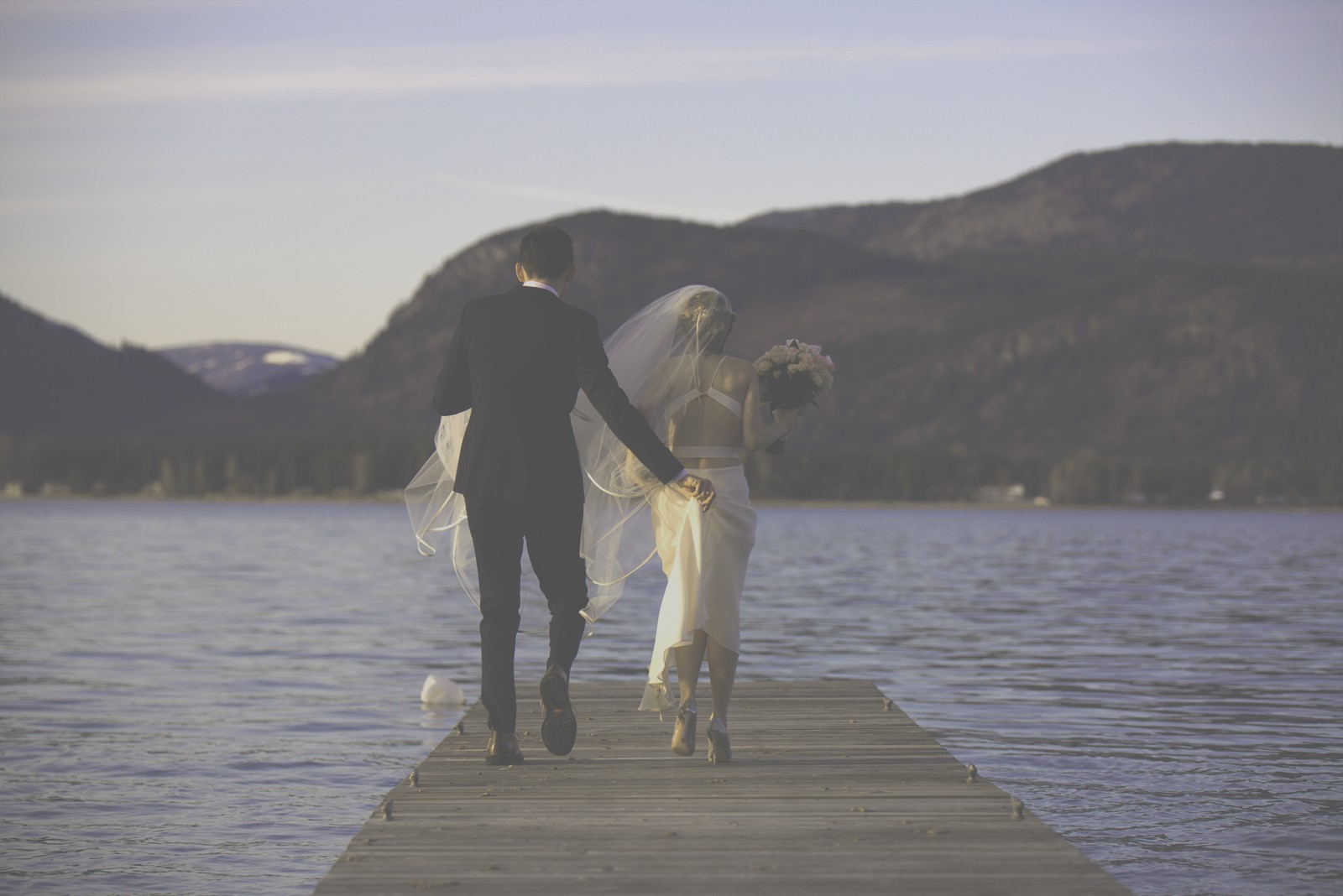
Polaroid Time Zero — Picture Style for Canon
Instant film emulation — an approximation, not affiliated with the brand
A look inspired by Polaroid Time Zero, adapted as a Picture Style (PF3) with a compatible structure for Canon EOS cameras: it loads as its own style and works in-camera and in Digital Photo Professional. It is not a Polaroid product nor is it affiliated with the brand.
The recipe
Six-axis grading (H / S / L)
| Axis | Hue | Sat | Lum |
|---|---|---|---|
| Red | +28 | -18 | +12 |
| Yellow | 0 | -18 | 0 |
| Green | -28 | +18 | -6 |
| Cyan | -6 | +28 | 0 |
| Blue | +16 | +28 | +3 |
| Magenta | +18 | -5 | +6 |
Tone curve (11 points)
0,80 · 24,81 · 48,85 · 72,92 · 96,103 · 128,121 · 159,143 · 191,165 · 215,183 · 239,200 · 255,210
Compatible with Canon EOS cameras with Picture Styles (loaded via EOS Utility, Picture Style Editor or SD card). The file includes the six-axis grading, the tone curve and the basic parameters; the preview on this page was generated with the same color transformation written into the PF3.
About the Polaroid Time Zero look
Time-Zero was the film of the SX-70 myth: the integral stock Polaroid released in the late seventies to accompany its folding mirrored camera, and that artists one day discovered could be manipulated — its emulsion, soft for minutes after development, could be stretched, pressed and painted with a stylus. That double life — official instant and malleable canvas — turned it into a legend before it disappeared.
Its palette is the SX-70 in its mature form: warm pastels, peach skin, soft greens and low contrast with creamy highlights. On top comes that integral feeling of an image wrapped in a veil: nothing shouts, everything sits halfway between photo and watercolor. The soft corner falloff and overall warmth give a romanticism no app fully imitates.
It is the look of deliberate memory: intimate portraits, family moments, still lifes in late light, soft-style weddings and any project that wants to feel lived rather than photographed. With simple scenes and few colors it reaches its fullest expression; visual clutter suits it less. Also perfect as a base for montages and texture experiments.
This Picture Style for Canon captures that pastel palette and warm veil in a soft grade with a creamy-highlight curve. It comes straight out to JPEG with the full Time-Zero air, and with RAW+JPEG you keep the negative in case a project calls for crossing it with neutral versions. A look for slowing down: few photos, all cherished.
It works best with very few elements: a face, a hand, a window. The simple scene lets the warm veil and pastels breathe. Try taking the photo and staying one extra second looking at it on screen: this is the kind of look that asks for calm. In portrait, low side light creates that soft modeling reminiscent of the best SX-70s. Less is more has never been more literal than here.
Frequently asked questions
Is this an official Polaroid product?
No. It is an independent emulation created by FilmTone, inspired by the color character of Polaroid Time Zero. It is not affiliated with or endorsed by Polaroid; film names are mentioned only to describe the look being emulated.
Which Canon cameras support this Picture Style?
Any Canon EOS with Picture Styles and User Def. slots: DSLRs from the 350D onward, EOS R and M mirrorless bodies, and recent PowerShot models. The PF3 file registers into a free slot and is selected like any factory style.
How do I install it on the camera?
Three routes: with EOS Utility over USB or Wi-Fi (the most universal), opening the PF3 in Picture Style Editor and registering it, or from the SD card on recent models that allow it. We have a step-by-step guide in the guides section of the site.
Does it affect my RAW files?
The style applies to the JPEG, the on-screen preview and the RAW pre-render, but the RAW keeps all the sensor information: you can change or remove the style later in Digital Photo Professional. Shooting RAW+JPEG gives you both the instant look and the untouched digital negative.
Does it cost anything to download?
No. Downloading the PF3 is free and you can customize the name your camera will show (1–24 ASCII characters). The project runs on voluntary Ko-fi donations.