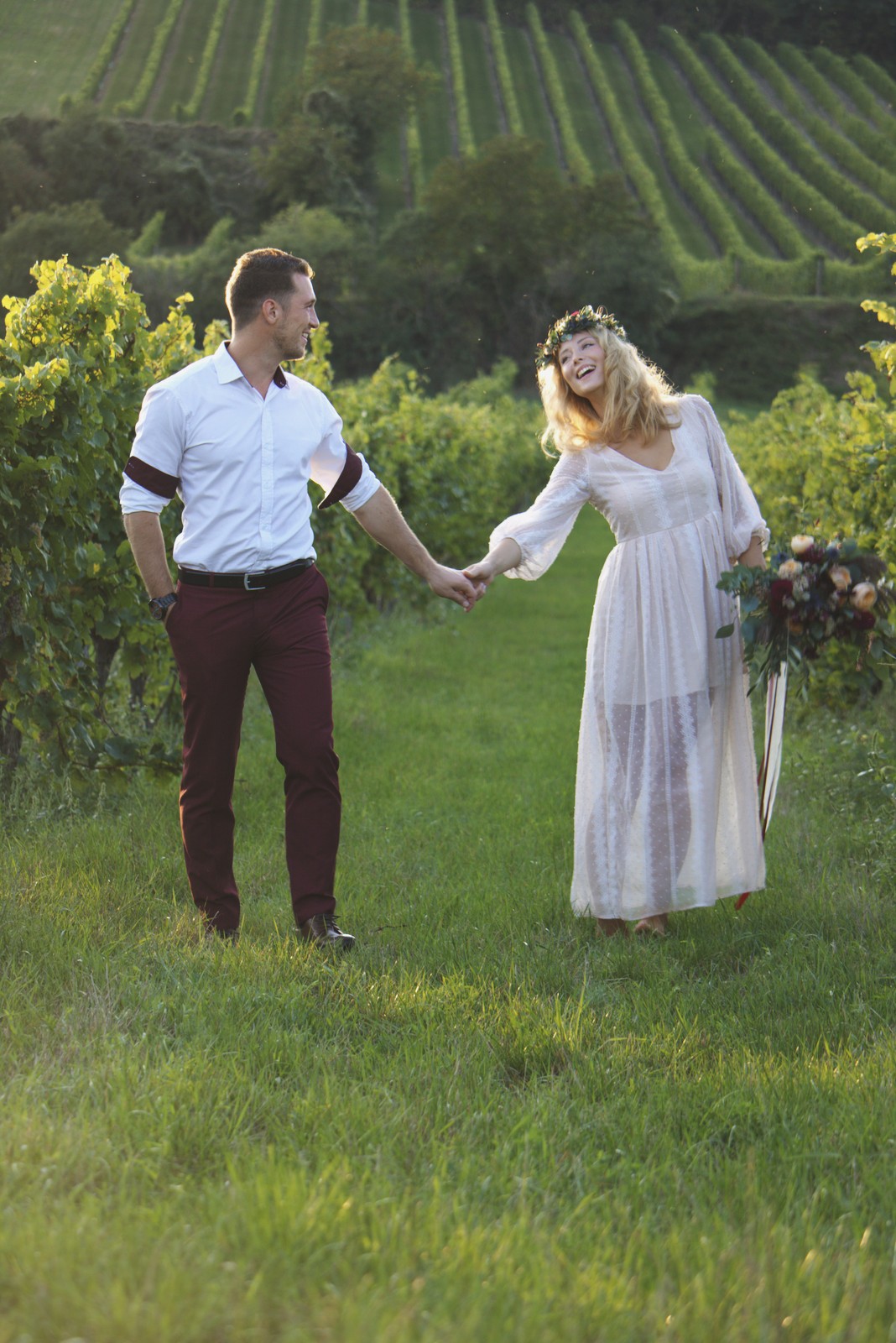
Polaroid 690 Warm — Picture Style for Canon
Pro instant film emulation — an approximation, not affiliated with the brand
A look inspired by Polaroid 690 Warm, adapted as a Picture Style (PF3) with a compatible structure for Canon EOS cameras: it loads as its own style and works in-camera and in Digital Photo Professional. It is not a Polaroid product nor is it affiliated with the brand.
The recipe
Six-axis grading (H / S / L)
| Axis | Hue | Sat | Lum |
|---|---|---|---|
| Red | +8 | -4 | +3 |
| Yellow | -2 | -8 | 0 |
| Green | -4 | -8 | 0 |
| Cyan | -2 | +16 | -6 |
| Blue | +3 | +5 | 0 |
| Magenta | 0 | +4 | 0 |
Tone curve (11 points)
0,21 · 24,33 · 48,48 · 72,73 · 96,106 · 128,150 · 159,183 · 191,211 · 215,226 · 239,238 · 255,244
Compatible with Canon EOS cameras with Picture Styles (loaded via EOS Utility, Picture Style Editor or SD card). The file includes the six-axis grading, the tone curve and the basic parameters; the preview on this page was generated with the same color transformation written into the PF3.
About the Polaroid 690 Warm look
The 690 was the fine lady of Polaroid's packfilm family: 100 ISO, more delicate grain and a palette that in its "Warm" variant leans clearly toward golden and soft sepia. Designed for professionals who wanted faithful proofs with a pleasant finish, it became a favorite of portraitists seeking that classy instant — halfway between technique and romanticism.
The warm look is everything here: golden skin, highlights stretching into cream, olive greens and an overall summer-afternoon feeling even when the scene is not. Contrast is gentle and blacks are less black than deep brown. The mix of professional precision and instant nostalgia produces images that hug: warm without being coarse, retro without being crazy.
It shines with natural-light portrait — windows, soft backlight, golden hours —, food with wood and earth tones, vintage still lifes and any project with a coherent warm palette. Whites gain an old-photo-print air that works beautifully in travel series and family photography with ambitions of memory.
This Picture Style for Canon deploys that premium-pack warmth: the grade shifts mids and shadows toward soft amber, protects skin, and the curve rounds off the transitions. It is the perfect counterpoint to the 669 Cold — keep both on your camera and pick the temperature according to what you feel in the scene.
It is the kindest look to casual indoor shooting: warm lamps, woods and textiles blend in without fighting the color. Outdoors, golden-hour light takes it to its exact point; at midday it can run too warm, so open up the framing or find open shade. For albums and family-memory series, it might be the most emotional look in the whole catalog. A single warm lamp is enough to set the whole mood. Point it at people you love in light you enjoy and it simply works.
Frequently asked questions
Is this an official Polaroid product?
No. It is an independent emulation created by FilmTone, inspired by the color character of Polaroid 690 Warm. It is not affiliated with or endorsed by Polaroid; film names are mentioned only to describe the look being emulated.
Which Canon cameras support this Picture Style?
Any Canon EOS with Picture Styles and User Def. slots: DSLRs from the 350D onward, EOS R and M mirrorless bodies, and recent PowerShot models. The PF3 file registers into a free slot and is selected like any factory style.
How do I install it on the camera?
Three routes: with EOS Utility over USB or Wi-Fi (the most universal), opening the PF3 in Picture Style Editor and registering it, or from the SD card on recent models that allow it. We have a step-by-step guide in the guides section of the site.
Does it affect my RAW files?
The style applies to the JPEG, the on-screen preview and the RAW pre-render, but the RAW keeps all the sensor information: you can change or remove the style later in Digital Photo Professional. Shooting RAW+JPEG gives you both the instant look and the untouched digital negative.
Does it cost anything to download?
No. Downloading the PF3 is free and you can customize the name your camera will show (1–24 ASCII characters). The project runs on voluntary Ko-fi donations.