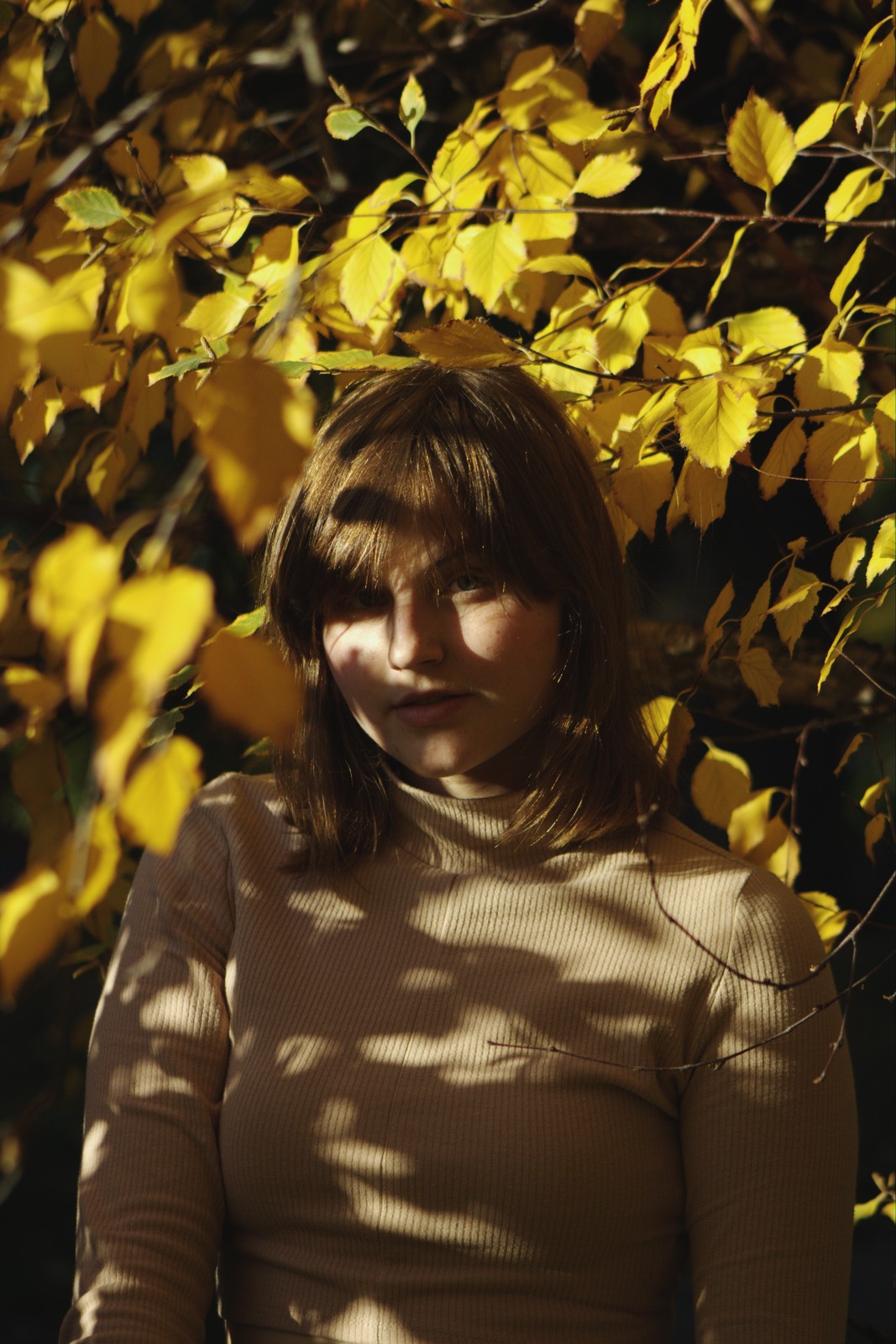
Kodak Portra 400 UC — Picture Style for Canon
Vintage negative emulation — an approximation, not affiliated with the brand
A look inspired by Kodak Portra 400 UC, adapted as a Picture Style (PF3) with a compatible structure for Canon EOS cameras: it loads as its own style and works in-camera and in Digital Photo Professional. It is not a Kodak product nor is it affiliated with the brand.
The recipe
Six-axis grading (H / S / L)
| Axis | Hue | Sat | Lum |
|---|---|---|---|
| Red | -1 | -6 | 0 |
| Yellow | +2 | -5 | 0 |
| Green | +8 | -16 | 0 |
| Cyan | -3 | -2 | 0 |
| Blue | +6 | +16 | 0 |
| Magenta | +2 | -12 | +6 |
Tone curve (11 points)
0,13 · 24,27 · 48,50 · 72,82 · 96,116 · 128,154 · 159,181 · 191,205 · 215,218 · 239,232 · 255,242
Compatible with Canon EOS cameras with Picture Styles (loaded via EOS Utility, Picture Style Editor or SD card). The file includes the six-axis grading, the tone curve and the basic parameters; the preview on this page was generated with the same color transformation written into the PF3.
About the Kodak Portra 400 UC look
The Portra family is Kodak's historical reference for professional portraiture, and the UC — Ultra Color — initials marked its most playful variant: the same friendly, skin-first base as classic Portra, but with saturation and contrast that no longer asked for permission. Produced in the early two-thousands and retired with the line's overhaul, the 400 UC survives as the Portra for those who want portrait with a spark.
Compared with a discreet Portra, color here exists and speaks up: warm rosy skin, reds and blues that take part in the scene, convincing greens and a lively contrast that adds body without losing softness on skin. Grain is fine for its 400 ISO and highlights roll off gently. It is that coveted middle ground: cheerful color without the sugary excess of consumer stocks.
Its natural ground is portraiture with life: outdoors in late sun, weddings, family, everyday fashion, children in motion. It also delivers on travel with people and in any situation where a classic Portra turns shy and a consumer stock goes too far. With warm end-of-day light it hits its most photogenic moment.
This Picture Style for Canon reproduces that pairing of kind skin and decided color through a six-axis grade that protects flesh tones while waking up the rest of the scene. It is one of the most rewarding looks to keep parked in a User Def. slot: you shoot people, landscape and street with the same yardstick and almost everything comes out right.
For portrait, let the look do the color work and focus your attention on late light, where golden skin is justified. It takes a slight underexposure well (half a stop), keeping skin creamy. In family and wedding work, it is one of those styles that unifies a whole day without indoor and outdoor photos looking like two different photographers made them.
Frequently asked questions
Is this an official Kodak product?
No. It is an independent emulation created by FilmTone, inspired by the color character of Kodak Portra 400 UC. It is not affiliated with or endorsed by Kodak; film names are mentioned only to describe the look being emulated.
Which Canon cameras support this Picture Style?
Any Canon EOS with Picture Styles and User Def. slots: DSLRs from the 350D onward, EOS R and M mirrorless bodies, and recent PowerShot models. The PF3 file registers into a free slot and is selected like any factory style.
How do I install it on the camera?
Three routes: with EOS Utility over USB or Wi-Fi (the most universal), opening the PF3 in Picture Style Editor and registering it, or from the SD card on recent models that allow it. We have a step-by-step guide in the guides section of the site.
Does it affect my RAW files?
The style applies to the JPEG, the on-screen preview and the RAW pre-render, but the RAW keeps all the sensor information: you can change or remove the style later in Digital Photo Professional. Shooting RAW+JPEG gives you both the instant look and the untouched digital negative.
Does it cost anything to download?
No. Downloading the PF3 is free and you can customize the name your camera will show (1–24 ASCII characters). The project runs on voluntary Ko-fi donations.