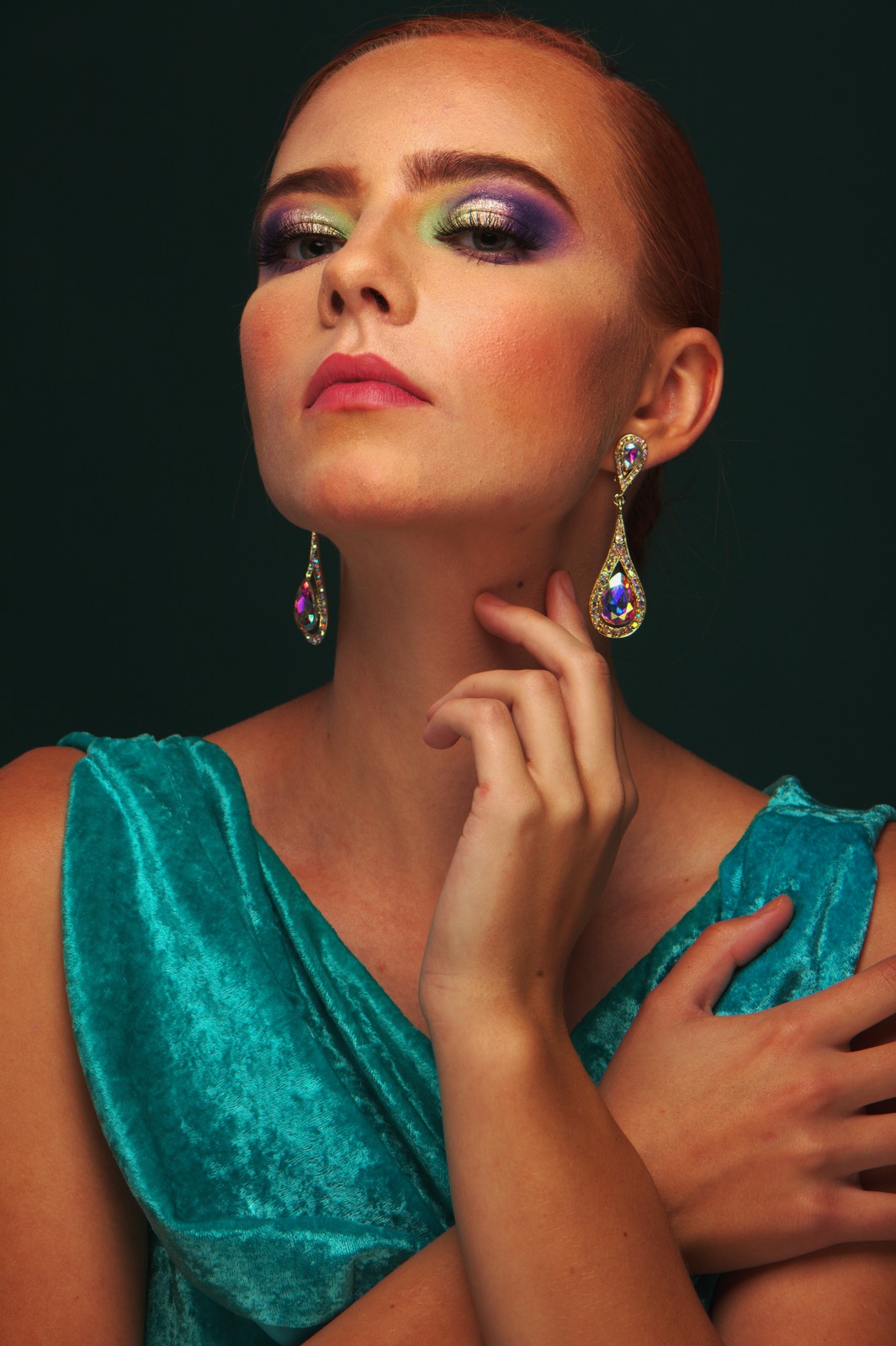
Agfa Ultra Color 100 — Picture Style for Canon
Color negative emulation — an approximation, not affiliated with the brand
A look inspired by Agfa Ultra Color 100, adapted as a Picture Style (PF3) with a compatible structure for Canon EOS cameras: it loads as its own style and works in-camera and in Digital Photo Professional. It is not a Agfa product nor is it affiliated with the brand.
The recipe
Six-axis grading (H / S / L)
| Axis | Hue | Sat | Lum |
|---|---|---|---|
| Red | -5 | +8 | -12 |
| Yellow | +2 | +3 | +6 |
| Green | -16 | +5 | +6 |
| Cyan | -6 | +3 | +6 |
| Blue | +3 | 0 | -6 |
| Magenta | -5 | -6 | -6 |
Tone curve (11 points)
0,6 · 24,18 · 48,33 · 72,52 · 96,75 · 128,114 · 159,153 · 191,186 · 215,208 · 239,227 · 255,242
Compatible with Canon EOS cameras with Picture Styles (loaded via EOS Utility, Picture Style Editor or SD card). The file includes the six-axis grading, the tone curve and the basic parameters; the preview on this page was generated with the same color transformation written into the PF3.
About the Agfa Ultra Color 100 look
Agfa Ultra Color 100 was a consumer color negative film from the German company Agfa, a staple of the nineties and early two-thousands. Among the everyday emulsions of its era it stood out for a simple reason: it delivered noticeably more color intensity than average without the aggressiveness of a slide film. When Agfa exited the consumer film business, the stock disappeared from the market and its palette became one of the most sought-after looks for anyone nostalgic for the color of that decade.
Its character is direct. Saturation runs high, with a soft spot for primary reds, blues and greens; contrast is punchy and the blacks settle confidently, which gives photos that forceful postcard look of the nineties. Skies turn into solid blue, foliage gains intensity and skin stays healthy and warm even while the whole frame pushes color upward. Grain is moderate and never distracts from the color, which is the absolute star.
This is a look for colorful scenes: travel, streets full of signs and awnings, vintage cars, colorful clothing, beaches, markets and harsh midday light. It also works beautifully for casual outdoor portraits when the goal is instant visual joy. On muted scenes or mixed-light interiors it can be too loud — that is where a more discreet negative fits better.
This Picture Style carries that palette onto your Canon: the six-axis grading pushes the color bands toward their primaries and the tone curve plants the blacks, so the effect comes straight out of the camera with no computer step. Shoot JPEG to share instantly, or RAW+JPEG if you want to keep the full digital negative; the style stays editable in Digital Photo Professional and any compatible developer.
It pairs beautifully with modern zoom lenses and chromatically rich scenes: the more palette in frame, the better it performs. If a photo comes out too hot, remember you can always lower saturation in-camera or from the RAW; the other way around — trying to recover Ultra Color's punch from a neutral style — is far harder.
Frequently asked questions
Is this an official Agfa product?
No. It is an independent emulation created by FilmTone, inspired by the color character of Agfa Ultra Color 100. It is not affiliated with or endorsed by Agfa; film names are mentioned only to describe the look being emulated.
Which Canon cameras support this Picture Style?
Any Canon EOS with Picture Styles and User Def. slots: DSLRs from the 350D onward, EOS R and M mirrorless bodies, and recent PowerShot models. The PF3 file registers into a free slot and is selected like any factory style.
How do I install it on the camera?
Three routes: with EOS Utility over USB or Wi-Fi (the most universal), opening the PF3 in Picture Style Editor and registering it, or from the SD card on recent models that allow it. We have a step-by-step guide in the guides section of the site.
Does it affect my RAW files?
The style applies to the JPEG, the on-screen preview and the RAW pre-render, but the RAW keeps all the sensor information: you can change or remove the style later in Digital Photo Professional. Shooting RAW+JPEG gives you both the instant look and the untouched digital negative.
Does it cost anything to download?
No. Downloading the PF3 is free and you can customize the name your camera will show (1–24 ASCII characters). The project runs on voluntary Ko-fi donations.